

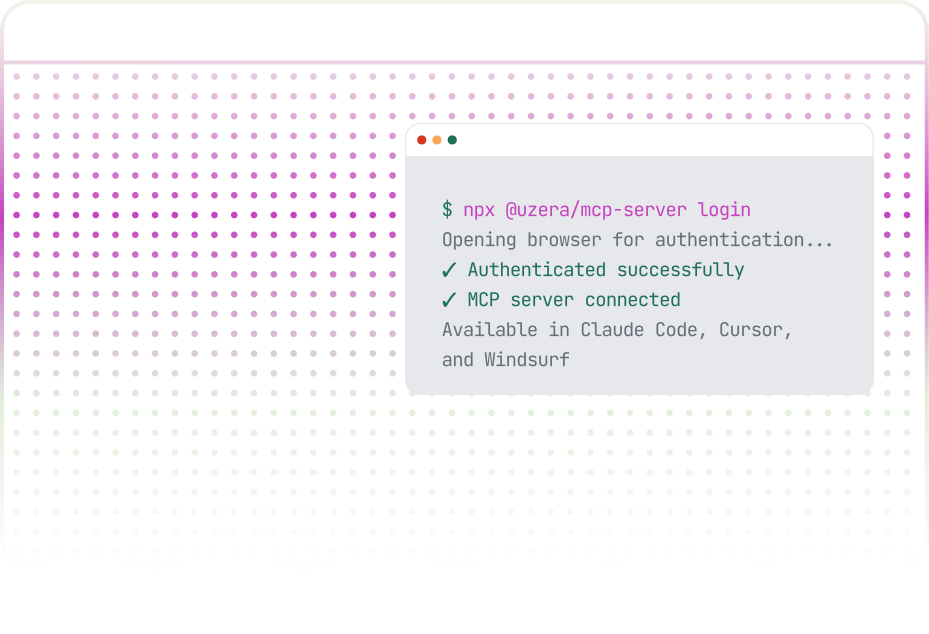

Uzera's MCP server pipes structured session replay, error context, churn impact, and fix history directly into your AI coding environment. One command to install. Zero context switching to debug.
Integrations connect Uzera to the third-party platforms your team relies on, so every user action Uzera captures a error, survey response, a tour completion, a feature interaction—flows directly into your analytics dashboards, CRM records, spreadsheets, and communication channels.
The Products page opens with four cross-product KPI stat cards for an immediate portfolio health check:
.svg)
all websites and apps connected to your account, displayed with a supporting tooltip
.png)
aggregate session count across every product in your account

total active users recorded across all connected products
.png)
combined count of custom events being tracked across your entire account
Most MCP integrations send a surface-level summary. Uzera sends structured, machine-readable data built specifically for debugging.
Returns the full error object: stack trace, affected endpoints, browser/device breakdown, and first/last seen timestamps.
{
"error_id": "err_8x92kq",
" message": "TypeError: Cannot read proper of undefined",
"file": "cart.js",
"line": 847, "
“affected_sessions": 23,
"affected_users": 19
}
Returns the structured user journey — not a video URL. Machine-readable event sequence your AI tool can parse and reason about.
{
"session_id": "sess_4hj29x",
"events": [ { "type": "pageview", "url": "/cart" },,
{ "type": "rage_click", "count": 4 },
{ "type": "error", "error_id": "err_8x92kq" }
]
}
Returns churn risk scores and ARR exposure for users affected by an error. Turns "how many users?" into "how much revenue?"
{
"affected_users": 19,
"churn_risk_breakdown":
{
high": { "count": 3, "arr_at_risk": 4200 }
}
"total_arr_at_risk": 12100
}
Searches your team's resolved errors for the same pattern. Returns how you fixed it before and how long it took.
{
"similar_resolved":
[
{
"resolved_at": "2025-11-14",
"time_to_fix_hours": 3.5,
"fix_summary": "Added null guard on cart.items"
}
]
}
Links the error spike to concurrent signals: API latency changes, session drop-off, deploy events.
{
"correlated_signals":
[
{ "type": "deploy", "version": "v2.14.1" },
{ "type": "session_drop", "drop_pct": 34 }
]
}
Returns the version history around the error window — automatically detected from your sessions.
{
"current_version": "v2.14.1",
"error_rate_change": "+340%",
"regression": true
}
Returns conversion funnel data for the page where the error occurred — understand business impact beyond user count.
{
"funnel": "checkout",
"baseline_completion_pct": 41.2,
"current_completion_pct": 16.5,
"delta": "-24.7pp"
}
Returns Core Web Vitals for the affected page. Flags performance regressions that may have contributed.
{
"page": "/checkout",
"lcp_ms": 4800,
"status": { "lcp": "poor" },
"baseline_lcp_ms": 1900
}

Result: 40%+ reduction in mean time to resolution. Clear-trace bugs resolved in under 4 hours.

# Example prompt in Claude Code:
"Which open errors have the highest ARR at risk this week?"
Uzera MCP returns ranked errors with churn exposure.
Product and engineering
can agree on what to fix next, with data behind it
.png)
Uzera MCP can be queried as part of a Slack alert workflow. When an error fires, the alert includes structured context your CS team can use to reach out proactively — before the user files a ticket.
Example Slack alert format:
⚠️ Error spike — /checkout — v2.14.1
Affected: 23 sessions · 3 users at high churn risk
ARR exposure: $4,200
Replay: [structured link]
Pattern: last seen Nov 2025 · fixed in 3.5h
→ Open in Claude Code
Start free. Scale as you grow. No hidden fees.


What counts as one MCP call:
Each tool invocation counts as one call. A single Claude Code query may invoke multiple tools — for example, get_error_context + get_churn_impact + get_pattern_memory = 3 calls.
Note: MCP calls are included in all Uzera plans. No separate MCP-only billing.
.png)
Model Context Protocol (MCP) — open standard by Anthropic
Browser OAuth 2.0 — no API keys to manage
SSE (Server-Sent Events)
p95 < 400ms per tool call
Errors and sessions: real-time · Churn scores: updated every 6 hours
Governed by your Uzera plan (60 days on Starter → configurable on Enterprise)
Claude Code, Cursor, Windsurf, and any MCP-spec client
.svg)

All data is scoped to your Uzera workspace
OAuth tokens are short-lived and rotated automatically
No session replay data is stored by the MCP server — it proxies from Uzera's core platformGDPR read
SOC 2 compliant (Enterprise plan)
GDPR ready


Yes. Uzera MCP follows the open MCP specification. It works with any client that supports MCP — currently Claude Code, Cursor, and Windsurf.
Each tool invocation is one call. When Claude Code queries Uzera for error context and churn impact together, that's two calls.
The structured event sequence is sent — not a video. Uzera converts the session into a machine-readable event log that your AI tool can parse and reason about directly.
No. The Starter (free) plan includes 100 MCP calls per month. Paid plans include significantly more.
The MCP server proxies data from your Uzera workspace. It does not store data independently. Your Uzera data retention settings govern everything.
Yes. MCP access is workspace-level. Any team member authenticated to your Uzera workspace can connect the MCP server to their own IDE.
No. You need the Uzera SDK installed (one JS snippet, 5 minutes). The MCP server is separate and connects to your existing Uzera data.
Uzera's MCP server connects session replay, error intelligence, and churn data directly to Claude Code and Cursor. One command. Zero context switching.


.svg)

