


You have analytics everywhere. Page views, errors, latency, uptime.
But when someone asks, “Why did checkout conversions drop 11% after Thursday's deploy?" silence.
Because every tool answers a different question. Engineering analytics connects the dots between user behavior and what developers can fix.
Traditional web analytics tools were built for marketers. They answer marketing questions. Engineering analytics starts where those tools stop and focuses on the questions engineering teams face every day.
The checkout page had a 23% bounce rate on mobile this week. It is a concerning number, but it offers no clear path to action. You know something went wrong on mobile and that it impacted conversions, but the dashboard stops short. It does not reveal whether users rage-clicked an unresponsive button, encountered a JavaScript error, or abandoned the page due to slow loading. The number highlights a problem, but not the cause.
A root cause does not make you guess. It shows its work. It traces the failure through every layer, from the request that timed out to the upstream dependency that failed and the config change that shipped at 3 PM. It connects the dots that would take a human an hour to piece together. It follows the thread back to the source, so you resolve the actual problem instead of just silencing the alert. That is the difference between a team that resolves incidents and one that just reacts.

Every console log warning and error during a session is captured and shown with the session timeline.
Engineering analytics unifies error logs analytics events and user state into a single view to simplify frontend debugging.

Every HTTP request during a session is logged with method, URL, status code, response time, and headers or payloads when available.
Engineering analytics captures every HTTP request with method, URL, status code, response time, and payload details into a single view to simplify network debugging.

Engineering analytics links every error to the session, showing what the user did before it occurred and whether it impacted their experience.
Context matters because not all errors are equal. Some break critical flows while others are minor.

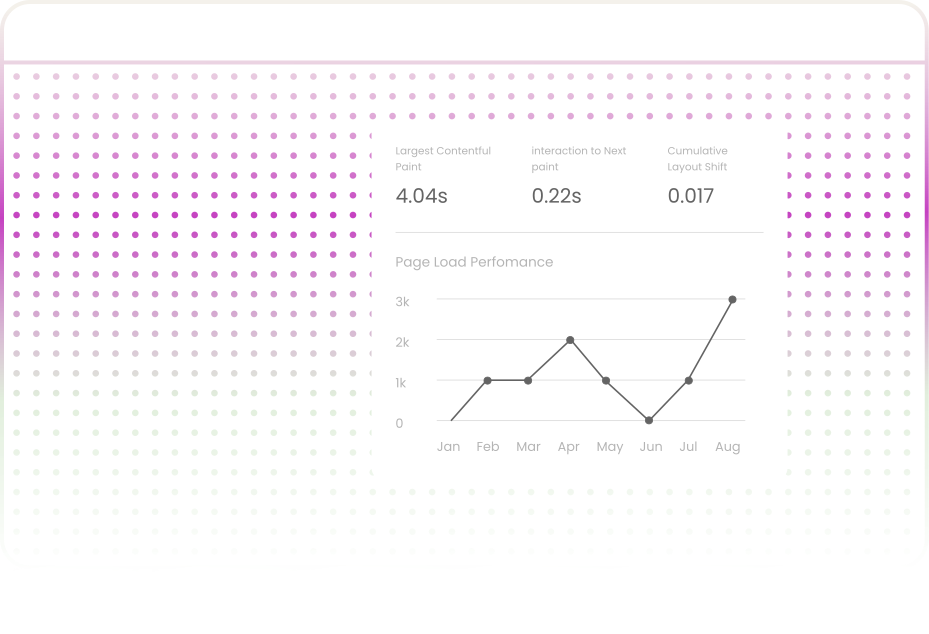
Engineering analytics tracks detailed session-level metrics like time to first contentful paint, time to interactive, total blocking time, layout shifts, and long tasks on the main thread.
Combining per session metrics with replay helps distinguish between initial rendering and true usability for accurate fixes.

Engineering analytics shows the page DOM as the user saw it, including dynamic content and layout differences.
Why It Matters:
A CSS grid works in Chrome but breaks in Safari. A dropdown looks fine on large screens but clips on smaller laptops. These bugs affect real users.
Engineering analytics does not replace your monitoring tools. It acts as a bridge between them, filling in the gaps that each tool can only partially perceive.

Error trackers show the exception. Engineering analytics shows the sessions where it occurred, including the user journey and UI state.
.svg)
APM measures server performance. Engineering analytics measures what the user actually experiences in the browser. Together, they provide a complete view of performance.

Watch sessions from users exposed to new features. This helps teams catch rollout issues before they reach all users.

Session replay removes that gap by capturing the exact sequence of events.

After every deployment, teams can monitor sessions from the first wave of users. Engineering analytics is like a smoke test for production that happens in real time.
You do not need to map every user journey on day one. Start with the flows that matter most, such as signup, activation, and checkout, where friction is costly and a single bug can have a major downstream impact. Once these are instrumented and stable, adding secondary flows becomes much easier. You are not starting from scratch; you are building on signals that already work.
Session recording in staging and localhost helps QA identify edge cases. Engineers verify complex UI flows before release.
Track the first wave of sessions after every releaseFilter by new pages updates or feature flags to detect issues early
Connect support and engineering in a single workflow. Replay sessions surface errors network issues and root causes instantly reducing resolution time.
When issues occur at scale engineering analytics shows real user impact. Teams can watch sessions to assess severity and respond faster
Identify slow pages and components using real user sessions where users waited, refreshed, or dropped off. Prioritize performance fixes based on actual user pain, not theoretical benchmarks.

Sensitive data is removed in the browser before it is ever sent, ensuring privacy at the source.

Custom masking of sensitive UI components with precise element targeting.

TLS 1.2 or higher for data in transit and AES 256 for data at rest.

Logged in users whose attributes and properties can be tracked and filtered.
.svg)
Policies aligned with your organization’s compliance posture.

Single tenant deployment for teams that need data to stay in a specific location.
Engineering analytics does not just help developers fix bugs faster. It gives engineering leaders the data they need to make better strategic decisions.

How long does it take to go from a bug report to a confirmed root cause? Engineering analytics reduces the time from hours to minutes by eliminating the need to reproduce the issue.

What percentage of logged errors actually impact user experience? This metric helps teams focus on real issues instead of chasing noise.
.svg)
How many deployments cause user-facing issues that are caught within the first hour.
.svg)
Guides targeted quality assurance efforts and informs CSS and JavaScript compatibility fixes.
.svg)
What percentage of user sessions meet your team’s performance targets for time to interactive, total blocking time, and cumulative layout shift?
Teams often stop at design reviews and copy approvals. Engineering analytics adds technical readiness by detecting issues like delayed payment, SDK layout shifts, or API failures. It gives confidence that every release performs flawlessly.

Get LCP below 2.5 seconds.
With a largest contentful paint of 3.8 seconds, users feel the lag. Engineering analytics identifies whether the issue is an unoptimized hero image, a render-blocking font, or slow server response.
Serving static assets through a CDN keeps time to first byte low. Engineering analytics highlights which resources are still coming from origin instead of cache.

Resolve high-severity JavaScript errors before launch.
If engineering analytics reports thirteen high-severity JavaScript errors, they are not hypothetical issues but real problems impacting users.
Each one needs triage: DoesDoes the error break the interface or stop conversions? Does it happen every time or only sometimes? Session context answers these questions.
Fix and monitor network errors.
Network errors such as failed API calls, broken assets, or slow third-party scripts can disrupt the user experience. Engineering analytics organizes each error by status code endpoint and frequency.

Pre-size all images to avoid CLS regression.
When a page jumps because a hero image or other element loads incorrectly, cumulative layout shift creates visual instability. Engineering analytics tracks the element size shift and timing per session.
Add loading or skeleton states for any API-powered UI.
Engineering analytics reveals the content users encounter during loading gaps such as API-fetched pricing, testimonials, or tables.

Fix the drop-off in registration to increase completed sign-ups.
If users click the CTA but do not reach the form, engineering analytics helps identify slow loads, console errors, or button issues across devices and browsers.
Test the landing page's main route. Missing largest contentful paint data is a warning
Absence of largest contentful paint data on the root route indicates a script initialization problem or early redirection. Analytics helps detect this gap.


Session replay shows you what a user did—the clicks, scrolls, and navigation path but engineering analytics shows you why it broke. It layers in the technical context beneath the visual experience: console errors, failed API calls, Core Web Vitals degradation, and JavaScript exceptions with full stack traces, so when a VP asks why conversions dropped after a deploy, you're not watching a video of a user clicking a broken button—you're looking at exactly which API returned an error, which script failed to load, and which page crossed a performance threshold.
The Uzera tracking snippet is designed to be asynchronous and lightweight it loads non-blocking, runs outside your critical rendering path, and has no measurable impact on Core Web Vitals like LCP, INP, or CLS, so the same performance regressions you're monitoring for your users won't be introduced by the tool you're using to monitor them.
Yes. The multi-site project selector switches between monitored properties instantly, with each site maintaining its performance baselines, error history, and API monitoring context.
Engineering Analytics is built to scale with your traffic, not against it — data is ingested asynchronously, sampling rates are configurable so you're not capturing every session at 100% when you don't need to, and the underlying infrastructure processes spikes without dropping events or skewing your Core Web Vitals, error rates, or API reliability metrics, so whether you're seeing 10,000 sessions a day or 10 million, the accuracy and responsiveness of your monitoring loop stays consistent.
See beyond surface metrics. Understand user impact, root cause, and exact moments of failure. Turn every issue into clear, reproducible insight.


.svg)

